
Leave Your Message

Why Are Information Kiosks Important for Businesses?

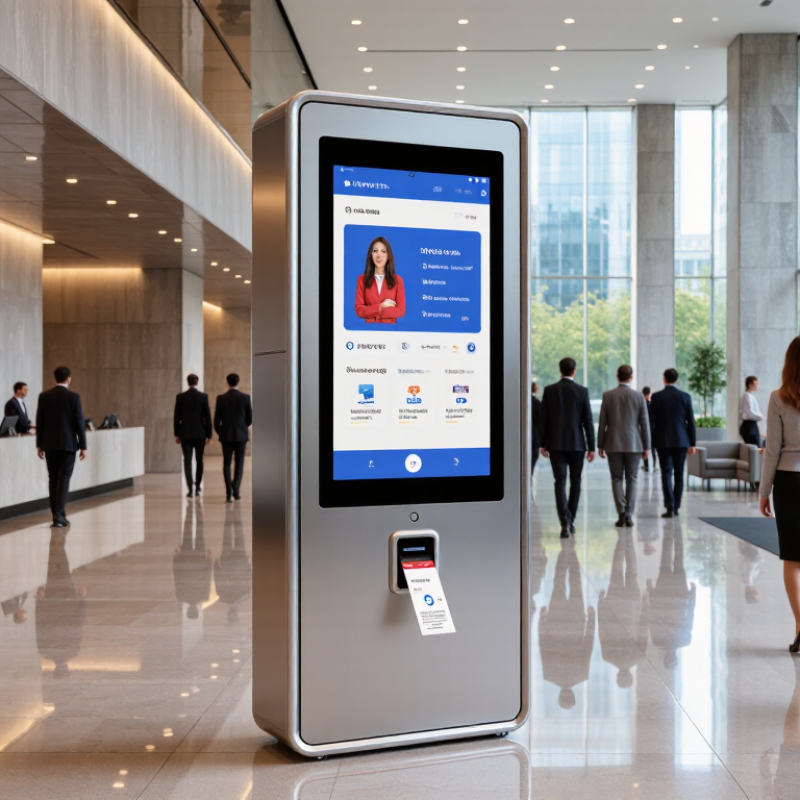
Information Kiosks are becoming practical service infrastructure, not decorative screens in a lobby. They help businesses guide visitors, reduce queues, collect information, and provide consistent support during busy periods. A well-designed unit can greet a customer, print a ticket, display directions, or complete a payment within seconds.

Market evidence supports this shift. Grand View Research valued the global self-service kiosk market at approximately USD 28.34 billion in 2022. It also forecasts a 17.8% compound annual growth rate from 2023 to 2030. MarketsandMarkets reports similar momentum across self-service technologies, driven by labor pressures, digital payments, and customer demand for faster transactions. These figures cover broader kiosk categories, however. They should not be treated as exact measurements for Information Kiosks alone.

David Drain, a recognized self-service technology executive at KIOSK Information Systems, has emphasized, “The kiosk is an extension of the brand experience.” That perspective matters. A kiosk with slow software, poor accessibility, or unclear instructions can increase frustration instead of reducing it. Businesses should test screen height, lighting, language options, privacy, and maintenance routines before deployment. A crowded hospital entrance makes the point clearly: every extra tap creates another delay. Information Kiosks are important because they connect digital convenience with physical service. Their value depends on thoughtful execution, reliable data, and continuous improvement. The technology is useful, but not automatically effective.
Why Are Information Kiosks Important for Businesses?

Defining Information Kiosks and Their Core Business Functions

Why Are Information Kiosks Important for Businesses?

Defining Information Kiosks and Their Core Business Functions

An information kiosk is a self-service digital station that helps visitors find answers without staff assistance. It may include a touchscreen, map, printer, payment option, or accessibility controls. Users can search opening hours, locate departments, read instructions, or request a service. Unlike a static sign, a kiosk can update information quickly.

That difference matters.

For businesses, kiosks reduce repeated questions and support smoother customer movement. In a clinic, a visitor might check in, confirm an appointment, and receive room directions. In a retail setting, someone can compare products or check stock near an entrance. A well-planned interface uses clear labels, readable text, and simple navigation. It should also support multiple languages when the audience requires them. Practical deployment experience shows that speed matters, but accuracy matters more.

Kiosks are not automatically efficient. A frozen screen creates frustration. Poorly labeled buttons can confuse people who need help. Businesses must assign responsibility for content updates, cleaning, accessibility checks, and technical repairs. Privacy also needs careful handling, especially when users enter contact details or identification information. A useful kiosk should offer a visible path to human assistance, because not every customer prefers self-service. The design may look polished, yet small problems often appear during busy hours. Regular testing with real users can reveal them.

Measuring Market Growth: The Kiosk Industry’s 14.8% CAGR, Grand View Research

Information kiosks are becoming practical business tools, not just digital signboards. Grand View Research projects a 14.8% compound annual growth rate for the kiosk industry. That figure signals sustained demand for self-service technology across retail, healthcare, transport, and hospitality. Businesses can use kiosks to reduce queues, collect customer requests, and display clear information during busy periods.

The growth rate also reflects changing customer expectations. People increasingly want quick answers without waiting for staff assistance. A well-placed kiosk can guide visitors, process forms, show product details, or support contactless payments. Screen brightness, accessible controls, and multilingual options matter in real settings. Small design failures can still frustrate users.

The forecast is useful, but it is not a promise. Market estimates depend on definitions, regions, and changing technology costs. Businesses should test usage before expanding. A short pilot can measure completion time, abandoned sessions, support requests, and maintenance needs. Those figures provide stronger evidence than enthusiasm alone. One overlooked issue is placement. A powerful interface may fail when customers cannot see it clearly or reach it comfortably. Regular software updates and human assistance remain necessary, especially for complex services. Growth looks impressive, yet thoughtful implementation determines whether a kiosk creates value or simply occupies floor space.

Explaining Customer Demand: 86% Prefer Self-Service, NCR Voyix

An often-cited customer survey reports that 86% of people prefer self-service options. That figure points to a clear expectation: customers want simple tasks handled quickly and on their own terms. At a kiosk, someone can check in, find a product, or place an order without waiting for staff. A bright screen near an entrance can answer a basic question before a queue forms. Small moments matter.

Still, 86% should not be treated as a promise that every customer wants a kiosk. Survey results depend on who was asked, what “prefer” means, and which tasks were measured. Some visitors need personal help, especially when a process is confusing or a payment fails. Good kiosk design makes the next step visible, uses plain language, and offers an easy route to an employee. No dead ends.

Businesses can compare kiosk use, completion rates, and requests for assistance over time. A short trial at one location may reveal where customers hesitate. Watch the screen, not just the sales figures. A kiosk that speeds up routine visits but frustrates first-time users needs work. Self-service is useful when it gives people control, not when it simply moves staff out of sight.

Assessing Business Benefits Through Wait-Time, Labor, and Conversion Metrics

Information kiosks matter when they improve measurable parts of a customer’s visit, not merely because they look modern. Track average wait time before and after installation, using the same hours and service types. A queue that drops from eight minutes to five can feel noticeably calmer. Still, averages can hide a rush-hour bottleneck, so record peak waits too. Small details count.

Labor metrics show whether self-service changes staff workload or simply moves it elsewhere. Compare hours spent answering routine questions, checking people in, and correcting kiosk errors. Ask employees what tasks remain difficult; a dashboard may miss a customer who needs help finding the right screen. A kiosk should free staff for more useful conversations, not leave one person constantly troubleshooting it. That can happen.

Conversion is worth measuring when kiosks support purchases, bookings, or service requests. Compare completed transactions with starts, and note where people abandon the process. For example, repeated exits on a payment or options screen may point to confusing wording, not weak customer interest. Use a consistent baseline and account for seasonal traffic or promotions. The numbers offer evidence, but they do not explain every choice. Review them alongside brief customer feedback, then adjust one feature at a time.

Why Are Information Kiosks Important for Businesses?

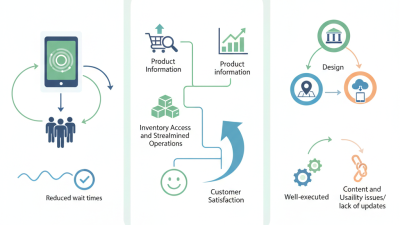
Comparing core operating metrics before and after introducing self-service information kiosks shows how they can reduce customer waiting time, lower frontline labor demand, and support higher conversion.

Illustrative benchmark scenario based on commonly tracked retail and service-operations KPIs. Results vary by location, customer volume, kiosk design, and implementation quality.

Applying Accessibility, Security, and Omnichannel Standards to Kiosk Design

Why Are Information Kiosks Important for Businesses?

Information kiosks connect physical service with digital convenience. Good design begins with accessibility, not decoration. Screens should sit within comfortable reach for wheelchair users and standing visitors. Clear contrast helps people in bright stores. Large text, captions, audio guidance, and tactile controls support different abilities. Language selection should be obvious. Small details matter.

Security needs equal attention. A kiosk may handle account details, payments, or appointment information. Use privacy filters where people stand close together. Set short inactivity timeouts, encrypt transmitted data, and prevent access to internal ports. Regular software updates are essential. Staff should also inspect screens and cables each day. One overlooked maintenance task can weaken an otherwise careful system.

Omnichannel design makes the kiosk part of a wider customer journey. Visitors could scan a code to continue on their phones, save a product list, or receive a digital receipt. Information should remain consistent across the kiosk, website, mobile interface, and staff systems. Customers should not repeat the same details at every channel. That feels inefficient.

Tips: Test the kiosk with users of different ages and abilities. Watch where they hesitate. Ask what felt confusing. Keep a simple fallback, such as staff assistance or printed directions. A perfect kiosk does not exist. Real-world testing often exposes problems that design reviews miss. Some choices may still need revision after launch.